
Schedule repeating orders that process automatically and start building your portfolio today.
💡Note:
Recurring buy order is funded with your current cash balance (AUD and NZD).
When creating a recurring buy plan, if your fiat balance is insufficient for a single investment amount, the system will prevent plan creation. Click Deposit Now on the recurring buy interface to complete fiat deposit.
If your base currency is insufficient, the Recurring Buy will stop until your cash balance is sufficient.
How to create Recurring Buy (Auto-invest)
App
Select
 on the bottom tool bar.
Select Auto Buy the bottom,then tap Continue
Or on the home page, tap any coin, then tap Auto Buy.
Select the coin you want to auto-buy.
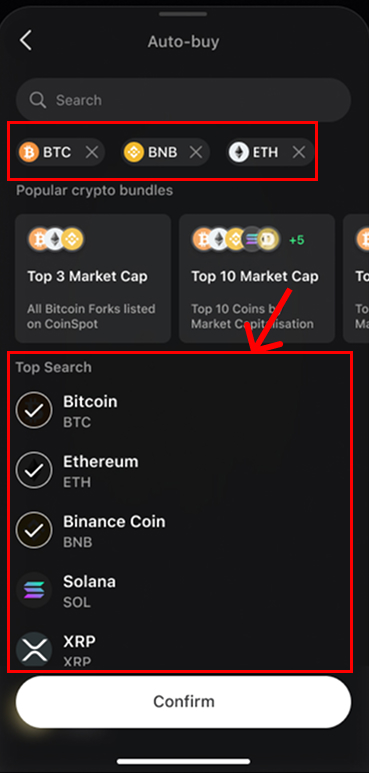
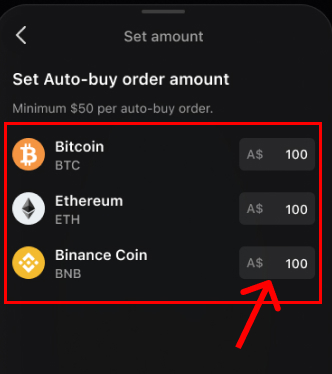
Set the amount you'd like to purchase.
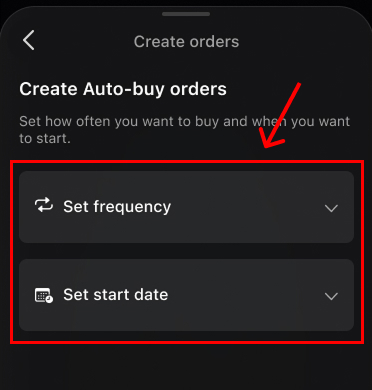
Set the frequency or time for your purchase.
Before you continue, you need to make sure you've read and agree the Recurring Buy Agreement.
Review your order, Slide to confirm, and finish.
Web
Select Recurring buy in the header to navigate to the Recurring Buy section.
Select Create Plan.
Select the crypto you want to buy.
Set the amount of fiat currency to invest per order.
Select Invest Frequency. The first purchase time will be 30 minutes after setting up the recurring order.
Before you continue, you need to make sure you've read and agree the Recurring Buy Agreement.
Click Continue, review your order, and finish.
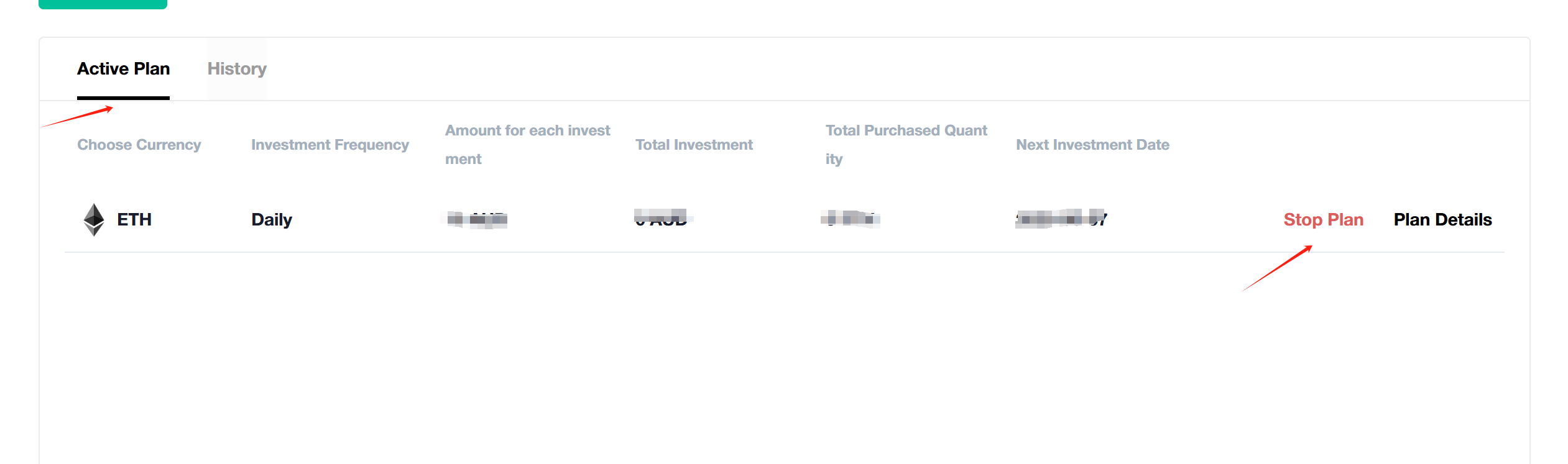
How to resume or pause a Recurring Buy (Auto-invest)
App
Select Active plan in the Recurring Buy page.
Select the plan you want to operate.
Select Stop plan or Resume plan.
Web
Select Active plan in the Recurring Buy page.
Select the plan you want to operate.
Select Stop plan or Resume plan.