
How to view and revoke your active sessions
Select the
 in the top right to open the Personal center page.
Select your email address to open the Account information page.
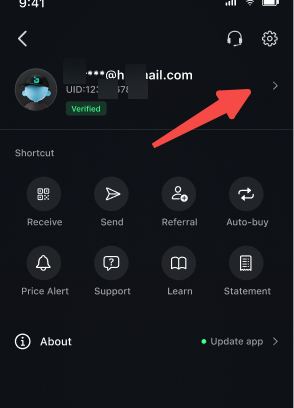
Select the Security.
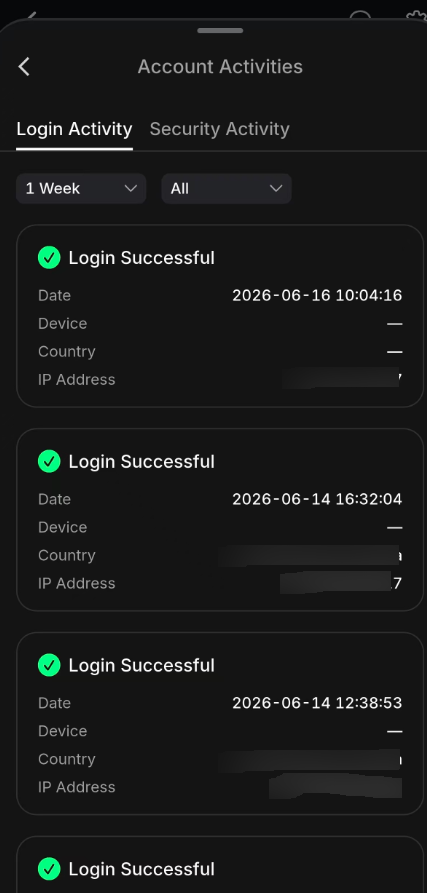
On the Account Activities page, you can see the following information:
• Login Successful – Status of each login attempt
• Date – When the login occurred
• Device – Type of device used
• Country – Location of the login
• IP Address – The IP address from which the login was made
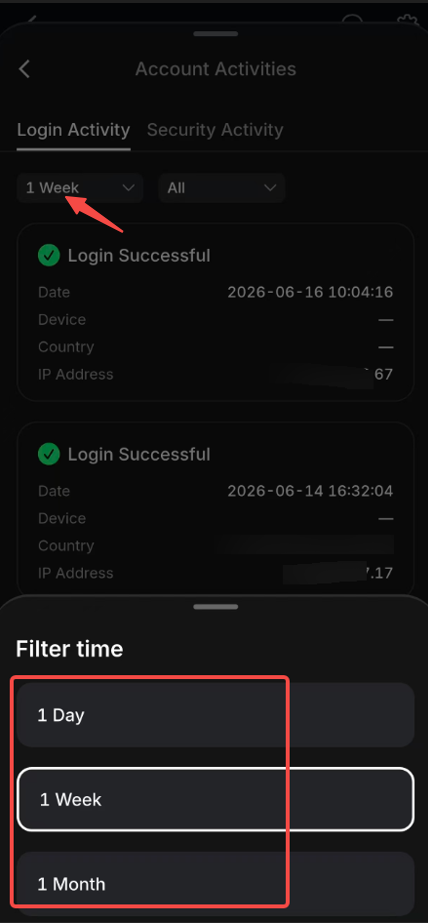
You can also select different time ranges: 1 Day, 1 Week, or 1 Month.
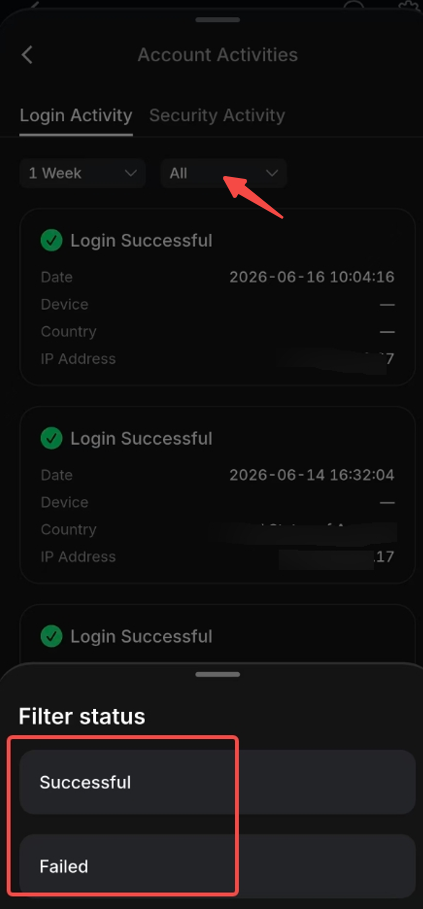
You can also select different statuses: Successful or Failed.
On the Security Activity page, you can view the following information:
• Activity – Type of security event
• Date – When the activity occurred
• Device – Device used for the activity
• Country – Location of the activity
• IP Address – IP address associated with the activity
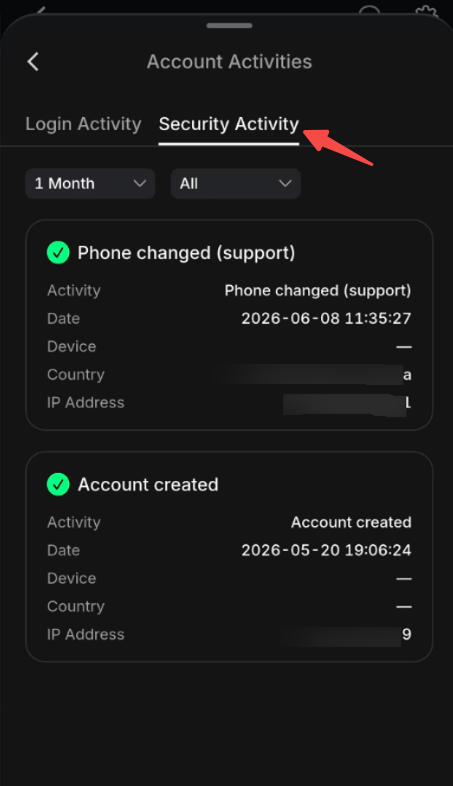
You can also choose different time ranges (1 Day, 1 Week, 1 Month) and statuses(Successful, Failed).
Select the
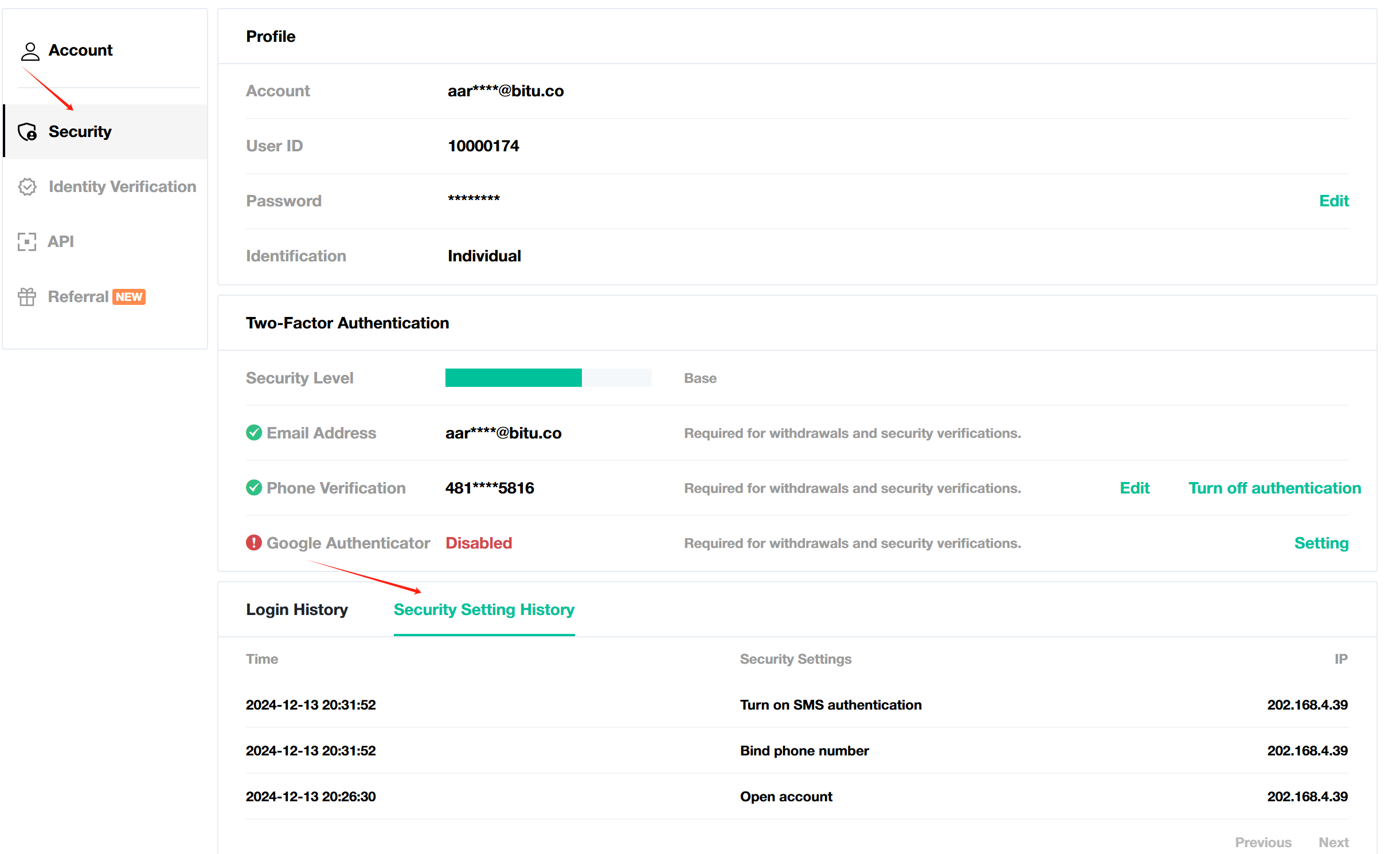
Profile in the right of header to open the Personal center.Select Security Settings.
Scroll to the bottom of the page to view:
Login history: Includes time and date, and the IP address of each login.
Security Setting history: Includes account opening, password reset, and email reset events.
What to do if you notice a suspicious login activity
If you notice a suspicious login or security setting that is not operated by yourself, please take the following steps:
Reset your password and 2FA to protect your account.
Check if any asset is missing from your account.
Report to our team at [email protected].