
We conduct identity verification checks to confirm that individuals are who they claim to be. This is a crucial step in setting up your CoinByte account.
As required by law, we must verify the identity of all customers wishing to deposit or withdraw Australian or New Zealand dollars on our platform. Details can refer to here.
This section is specially for individual account. If you are a corporate user, please refer to Complete your KYC Verification (corporate account).
The required documents of your initial ID verification
One of your government-issued ID.
One proof of address document.
One selfie photo of yourself.
Accepted identity documents
Passport
Driving license
ID card
Residence permit
Accepted proof of address documents
Payslips
Council rates notice
Water, gas, or electricity bill
Tenancy or rental agreement
Government-issued photo identification card
Any Government correspondence
Inland Revenue Notice (New Zealand)
A paper bank statement you received in the mail from your bank (We can't accept printed copies of online bank statements)
How to complete your initial ID verification
App
Select the
 in the top right to open the Personal center.
Select your email address to open the Account info page.
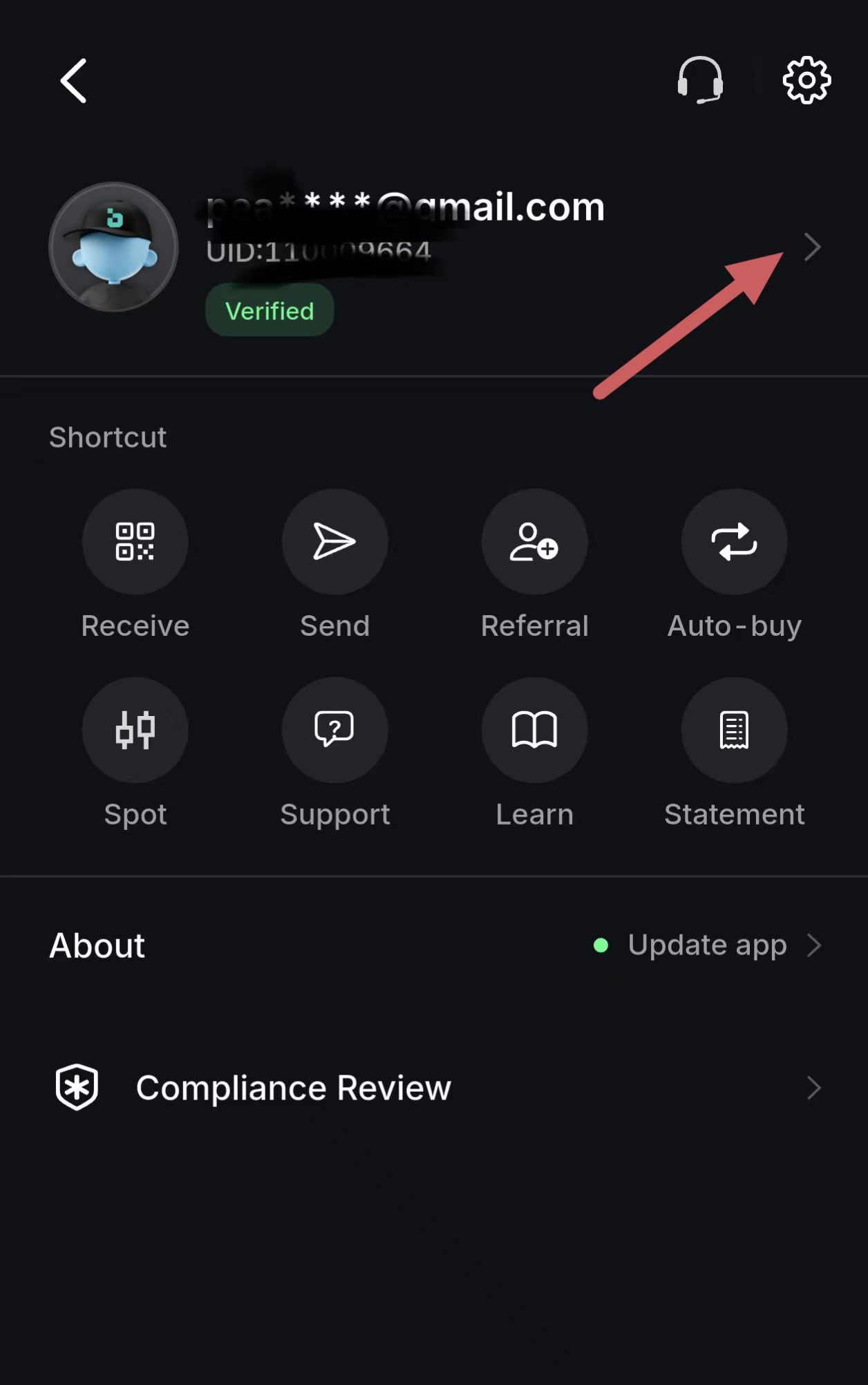
Select Verification.
Select Individual account.
Follow the prompts and take photos of the required documents to complete the verification.
Web
Complete your Identity Verification
Select the
Profile in the right of header to open the Personal center.Select Verification.
Select Individual account.
Follow the prompts and take photos of the required documents to complete the verification.
Congratulations! After finishing KYC verification and setting up 2FA, you can trade, deposit and withdraw on CoinByte now.